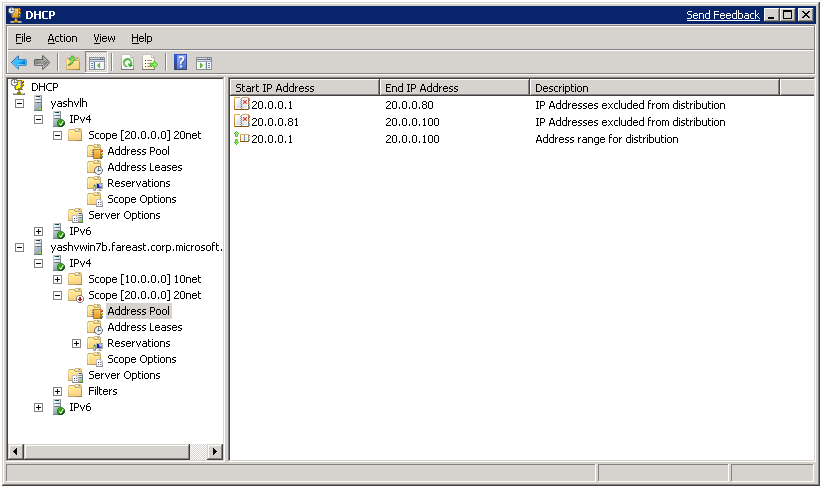
Split-scope configuration (Widely known as 80/20 Configurations) is typically considered as high-availability deployment scenario for the DHCP Server. It involves configuring scopes with the same subnet address and subnet mask and configuration on two distinct DHCP Servers. The two scopes have complementary exclusion ranges and therefore will not serve the same address to different clients.
The ratio of address ranges across the servers is denoted as Primary Server to lease 80 percent of the addresses in the scope and the secondary server to lease out 20 percent of the addresses in the scope. Splitting a scope between servers in this way, which is commonly referred to as the "80/20 rule," often relies on the proximity of the DHCP servers to the clients it serves. To avoid address range exhaustion on the secondary (20% address range) server, it can be configured to send out the DHCP OFFER with a small delay as well.
Fig1- Launch DHCP server
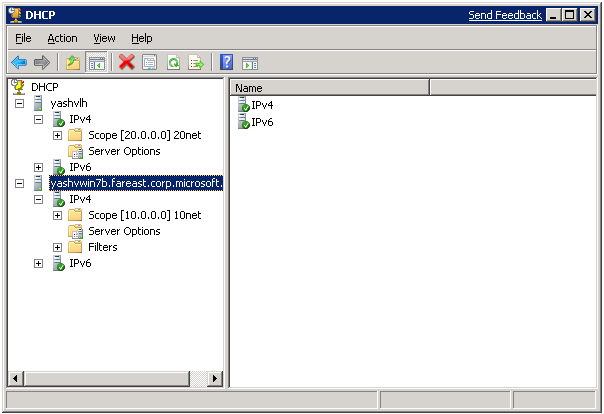
Fig 2: Launch the Split scope screen

Fig 3: Initialization screen

Fig 4: Add Secondary DHCP server screen

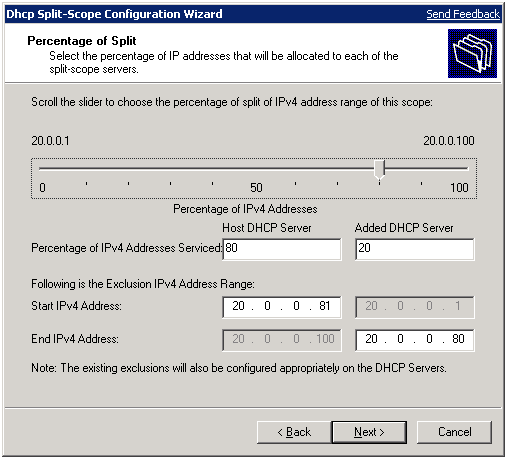
Adjust the split using the slider control; all other values are automatically adjusted OR the split can be configured with percentage field or IP Address range of the exclusion. Press next button to proceed.
Fig 5: Split scope configuration screen
Specify the delay on the secondary server, press next button to proceed.
Fig 6: Split scope delay configuration screen

Fig 7: Configuration summary screen

Fig 8: Summary results screen

Fig 9: DHCP server showing split scope